

Data apps are quickly becoming the natural evolution of traditional BI. AI is accelerating this shift, and the possibilities are expanding fast. Teams can now build Omni apps with AI in a fraction of the time it used to take.
At Shearwater, we're seeing a growing shift in what companies expect from their analytics platforms: a grid of charts is no longer enough. Teams want more customization and interactive experiences that go beyond visualizing data.
As Omni's partner, we've been building Omni apps for our customers since the feature launched, and we've learned what separates an app people trust from an impressive demo.
In this article, we cover:
- What is a data app in BI
- When data apps make more sense than traditional dashboards
- How Omni apps work, and our take on where they shine
- Seven practical steps to build Omni apps with AI without compromising governance
What Is a Data App in BI?
In BI, a data app is a custom interface built on top of your governed data, turning information into interactive experiences that help users not just understand data, but act on it.
Unlike traditional dashboards, which typically rely on charts, tiles, and filters, data apps can support tailored workflows and interactions designed around specific business needs. Examples range from pricing calculators and customer portals to operational tools that support day-to-day decisions.
However, while a great interface can make a data app engaging, its real value comes from what powers it: trusted data, consistent definitions, and strong governance.
A well-designed data app builds on your existing semantic layer, so key metrics like revenue, churn, and customer acquisition are defined the same way in dashboards and apps. That's what separates a production-ready, governed data app from an impressive-looking prototype.
AI can now generate a functional, good-looking interface in minutes. But building an app quickly and building one you can trust are two different things. To be production-ready, a data app needs governed data, the right access controls, and a home your team can maintain and scale.
Data Apps vs. Dashboards: When to Use Each
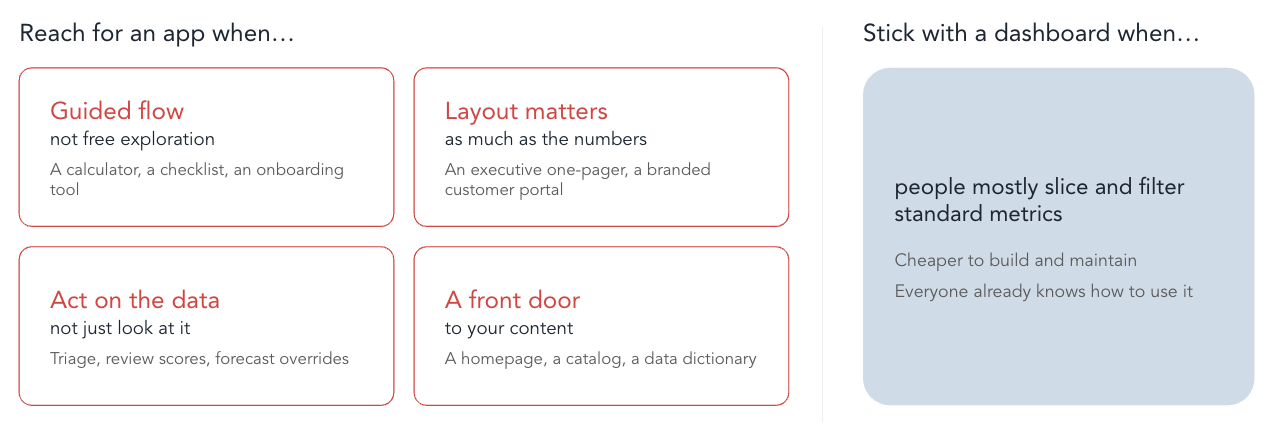
Reach for a data app when:
- The user needs a guided flow instead of free exploration (a calculator, a checklist, an onboarding tool)
- The layout matters as much as the numbers (an executive one-pager, a branded customer portal)
- People need to act on the data, not just look at it (triage, review scores, forecast overrides)
- You need a front door to your content, like a homepage, a catalog, or a data dictionary
Stick with a dashboard when people mostly slice and filter standard metrics. It's cheaper to build and maintain, and everyone already knows how to use it.
Shearwater's Tip: Data apps don't replace dashboards; they complement them. Dashboards excel at visibility and KPI tracking, while data apps let users explore scenarios and act on the results. Most organizations benefit from both, powered by the same governed semantic layer.
How Omni Apps Work
In Omni, an app is a custom HTML and JavaScript interface paired with a workbook. The workbook holds the queries, and the app is the interface on top of them. Omni apps are enabled by default, and admins can choose who is allowed to create them.
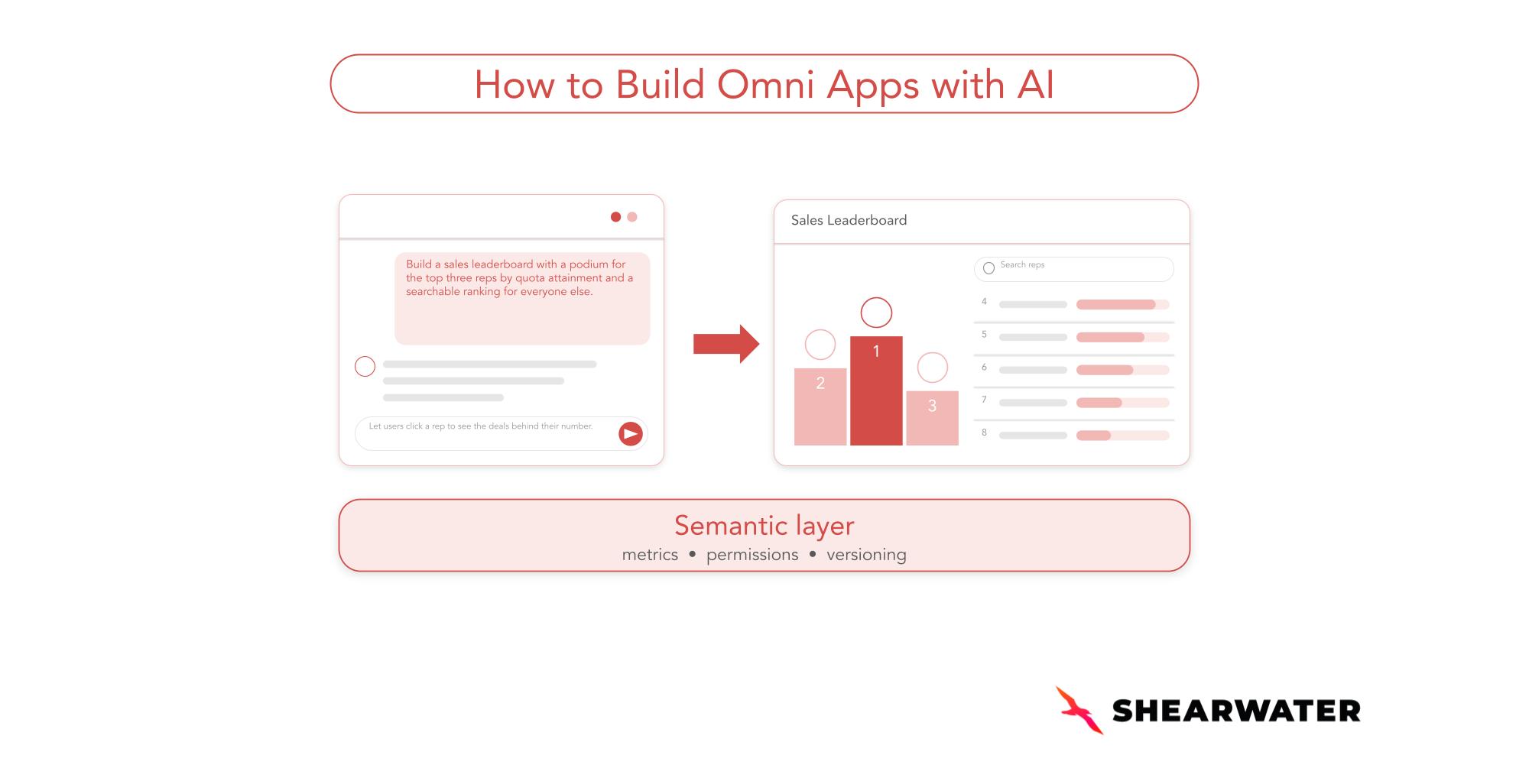
The fastest path is to describe what you want to the Omni Agent, either in a chat or by asking it to turn an existing workbook into an app. The agent writes each query against your model, writes the HTML, and wires it to the data. Then you iterate in the editor, which has a live preview, a code panel, and chat. The agent makes targeted edits and shows each change as a diff. For example:
"Build a sales leaderboard with a podium for the top three reps by quota attainment and a searchable ranking for everyone else."
Then refine it:
"Let users click a rep to see the deals behind their number."
Omni apps can also:
- Drill into the rows behind a value
- Write back to input columns (for example, a "Mark as called" button)
- Read Omni metadata to build homepages, content catalogs, or data dictionaries
- Be downloaded as PNG, PDF, Excel, or zipped CSVs, and scheduled for email delivery
- Be embedded in your product with the same SSO embed flow as dashboards
Our Take: Why Omni Apps Are Ready for Real Work
What Omni Apps Deliver
Anyone with access to the Omni Agent can describe a tool and get a working, governed app on the company's own metrics, without leaving Omni.
Every query points to fields in the semantic model behind your dashboards and AI answers, so when a definition or access rule changes, the app picks it up.
For data leaders, that changes the math on "can we build this?" A scenario planner or a review queue no longer has to wait in an engineering backlog.
Why We Think Omni Is Ahead Here
- It's built in, not bolted on. The agent that builds apps is the same Omni Agent your team already uses in Omni's chat. There's no external coding agent to wire up, no API keys to manage on a laptop, and no local preview server. You describe the app, iterate in the browser, and publish.
- Governance is part of the design. An app can't query your warehouse directly. It only sees its workbook's results, with connection permissions, model permissions, and row-level access still applied. Write-back goes to input columns and respects each column's edit mode and the viewer's data access. Calls to the Omni API are limited to a fixed allowlist of read-only endpoints and use the viewer's permissions, so no credentials ever reach the app. And because apps run in a sandbox that blocks outbound network requests by default, app code can't reach outside services unless a trusted domain is explicitly allowed, within limits your organization sets.
- It's been live, and it keeps moving. Omni apps became generally available in late August 2026, and they keep moving: since then, Omni has added drilling, downloads and scheduled delivery in more formats, and the agent can now detect and fix runtime errors while you work on a draft.
- There's a library to start from. The Omni Apps Library shares example apps along with the prompts used to build them.
Where Omni Apps Shine
- Operational workflows: triage queues, review scores, forecast overrides, and "mark as called" lists, thanks to write-back.
- Scenario planning: what-if calculators and planners next to the governed numbers they depend on.
- Front doors: branded homepages, content catalogs, and live data dictionaries built on Omni's metadata.
- Customer-facing data products: apps embedded in your product with the same SSO flow as dashboards. We covered the embedded side in building embedded analytics with Omni and MotherDuck.
Caveats to Plan For
- The app is only as good as the model. If a metric is missing and gets calculated inside the app, you've created a second version of the truth. Fix the model first.
- You own the code you embed. Omni doesn't review or validate app code. Treat apps you embed in a product like any other code you ship.
- External resources need a policy. Apps block outbound requests by default, and admins control which external hosts apps can load from. If your apps rely on charting or map libraries from a CDN, include those hosts in your policy.
- Some edges are still new. Omni's docs note that creating or changing a cross-model query inside an app may not work correctly yet.
- Not everything should be an app. Every app is custom code someone has to maintain. If the use case is standard slicing and filtering, a dashboard gets you there with less to own.
How to Build Omni Apps with AI: Seven Practical Steps
The Omni Agent can build an app from a single sentence. These steps are how we make sure the result holds up, especially for larger apps that other people rely on. You can do the planning in the Omni Agent chat or in any AI assistant your team already uses, then build in the Omni Agent, where the app is wired to your semantic model from the start.
1. Don't start by building
Start with a conversation. Before any code, plan and gather requirements with the agent.
- What are you trying to achieve?
- What should the data app do? How should it behave?
- Who is the user, and what do they need?
- Which data and which semantic model fields does it use?
- What security and access constraints apply?
Explicitly tell the agent not to build anything until the plan is solid. A clear plan turns into a much sharper prompt for the Omni Agent.

2. Find the problems before you build them: run a "pre-mortem gate"
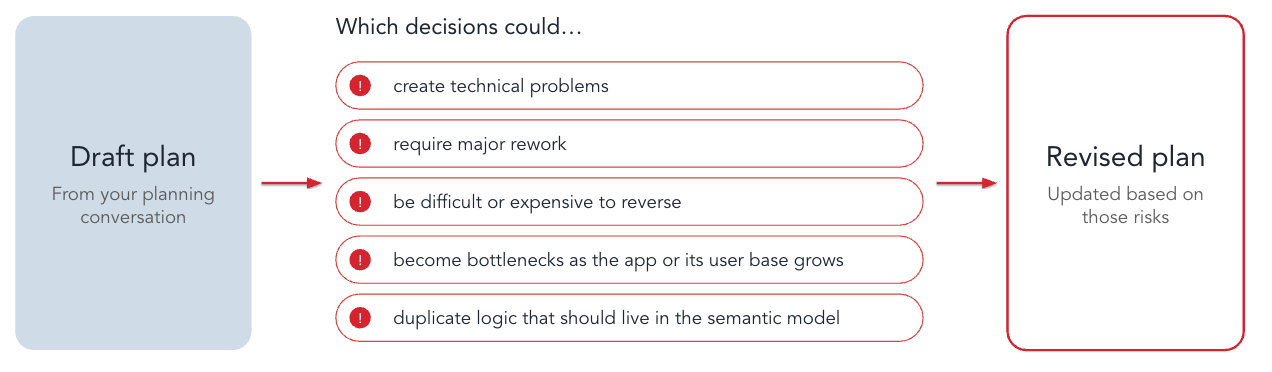
While you're still planning, ask the AI to stress-test the approach. Have it identify decisions that could:
- Create technical problems
- Require major rework
- Be difficult or expensive to reverse
- Become bottlenecks as the app or its user base grows
- Duplicate logic that should live in the semantic model
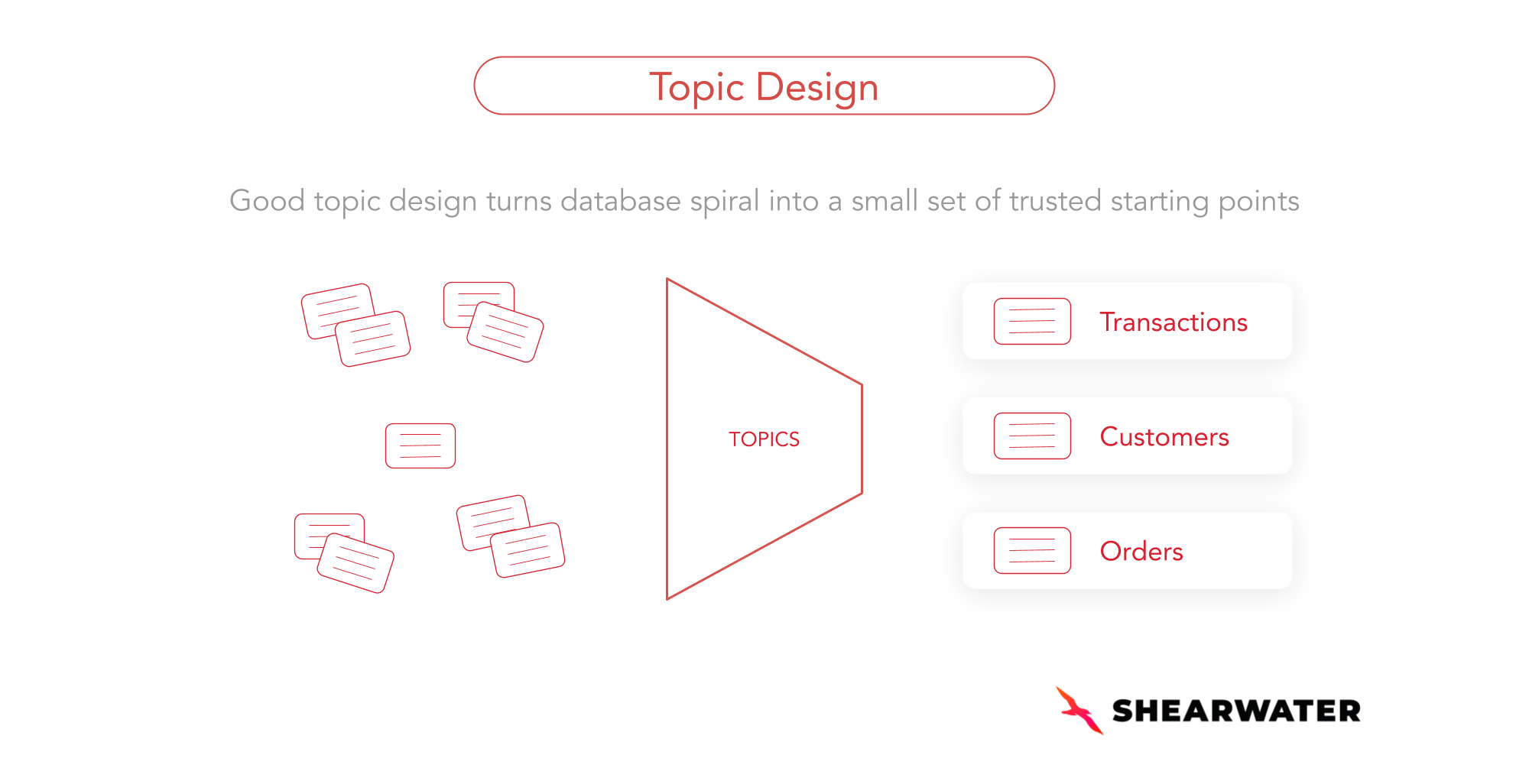
Then ask it to revise the plan. If the app needs a metric or join that doesn't exist yet, add it to the Omni model first. Our guide to Topic design covers how to keep Topics clean enough for AI to build on.
3. Consolidate everything into a handoff document
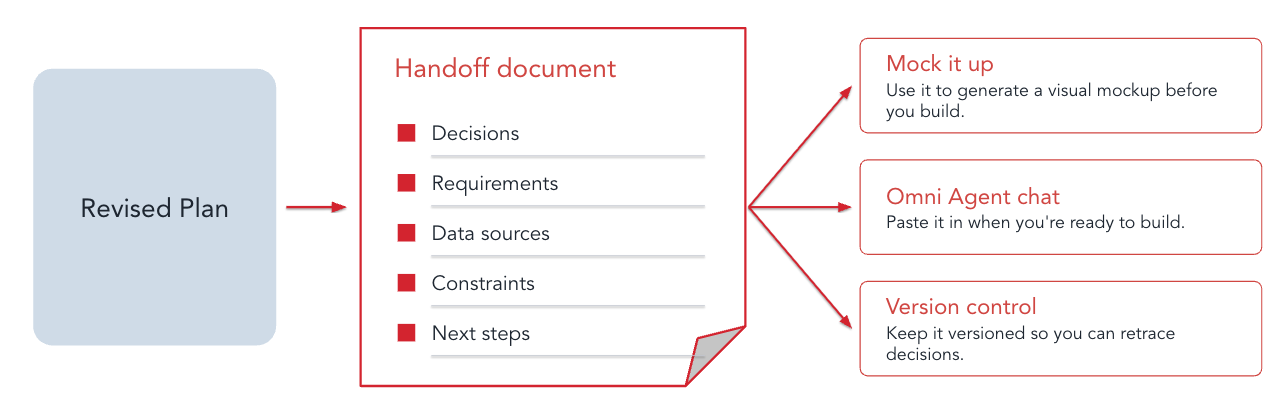
When planning is done, ask the AI to put the decisions, requirements, data sources, constraints, and next steps into one handoff document. That document becomes the context for every later stage. Paste it into the Omni Agent's chat when you're ready to build.
4. Mock it up
Use the handoff document to generate a visual mockup with a design or prototyping tool before you build. Review the screens, layout, interactions, and user flow. It's much cheaper to change a mockup than working code.

5. Give your AI agents different jobs
Treat your agents like a team. Give each one a clear responsibility, the right context, and an expected output:
- Technical Architect: designs the approach and the data model behind it.
- Developer: builds the data app (in the Omni Agent).
- Security Engineer: reviews access and data exposure before anything ships.
Separating the roles keeps each agent focused and adds an independent layer of review. A security review conducted in the same session that built the app may overlook issues or validate its own assumptions.
In Omni, the security review should focus on who can access which queries, the app's allowed domains, your organization's external resource policies, and any code you plan to embed. Use Access Warnings to identify tiles that certain viewers may not be able to access.

6. Build in phases and use version control
For larger data apps, don't build everything in one session. Break the work into phases and validate each one before moving on.
In Omni, you edit apps in a draft and publish when you're ready, so each phase can be reviewed before anyone else sees it. Keep your handoff document and prompts versioned so you can retrace decisions.

7. Don't rebuild for small changes
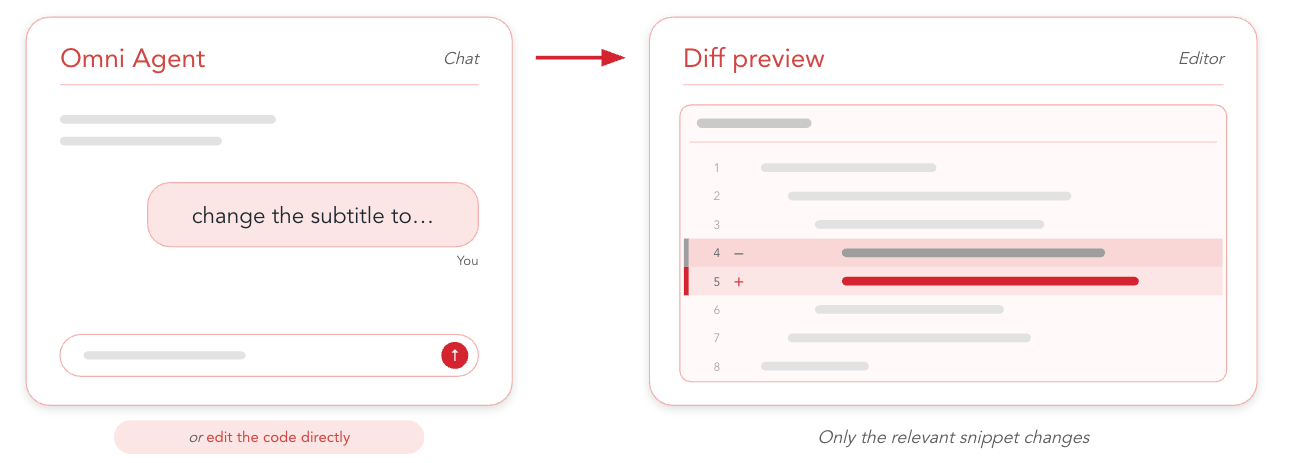
Not every update needs a big session. To change a label or some copy, make a small, targeted request ("change the subtitle to…") or edit the code directly. The Omni Agent edits only the relevant snippet and shows you the diff. Small changes still happen in a draft, so viewers only see them once you publish.
FAQ (Frequently Asked Questions)
1. What are Omni apps?
Omni apps are custom HTML and JavaScript interfaces paired with an Omni workbook, which holds the queries. You describe the app to the Omni Agent, then refine it in an editor with a live preview, code, and chat.
2. Can you build Omni apps with AI?
Yes. That's the main way to build them. The Omni Agent writes the queries against your semantic model, writes the HTML, and wires it to the data. You can start from a chat or ask the agent to turn an existing workbook into an app.
3. Are AI data apps in Omni governed?
Yes. Omni apps only see their workbook's query results, and Omni's connection permissions, model permissions, and row-level access all apply. The main risk left is logic calculated inside the app instead of in the model, which is why planning matters.
4. Why does the semantic layer matter for building data apps with AI?
Because the agent is only as reliable as the definitions it builds on. When the agent builds an app, it generates each query against your shared semantic model, reusing the topics, metrics, and joins your team has already defined instead of guessing. Revenue in an app means the same thing as revenue in a dashboard. And because an app only sees the results of governed queries, not the warehouse directly, it inherits the same permissions, including row-level security. Each viewer sees only the data they're allowed to see.
Can You Trust AI-Generated Data Apps in Your Organization?
AI is making data app development faster and more accessible than ever. But AI doesn't fix a weak data foundation. Without clear definitions, a trusted semantic layer, version control, and proper governance, even the most sophisticated AI-generated apps can deliver misleading results. As we've written about AI chatbots in BI, AI works best on top of trusted definitions, not in place of them.
That's why we're excited about Omni apps. When you build Omni apps with AI, the agent works inside the same semantic model and permissions as the rest of Omni, so speed doesn't come at the expense of trust.